Reimplementing the Hostess protocol
The game Transistor is something I’ve covered on this blog before, as you may remember, however this is focused on something different.
In the last sentence of that linked post, I mentioned that I wanted to look at something called the “Hostess protocol”, since it caught my eye when I first started looking inside this game. However, life got in the way for a while, and I never ended up going any further with that idea.
Until now!
Note:
If you just want to try this out, or aren’t interested in the full protocol, there’s some more brief info on the README of this project’s repo.
Otherwise, feel free to stay and read on!
Contents
- What is it?
- What can it do?
- My server implementation
- Patching the game
- The rest of the protocol
- How can I use it?
- Debug keys
- Gallery
- Is this useful?
- Closing remarks
What is it?
Hostess is a protocol created by Supergiant Games, usede in the games Transistor and Pyre, however I haven’t tested this project with in the latter. I don’t think it was carried over in the Hades engine rewrite, but I haven’t checked this out.
I haven’t been able to find anyone else publishing information about this, so I’m going to try and go into as much detail as I can here.
Hostess is a protocol used for debugging the game over the network. It’s based on a client-server model, where the game is the client and connects to the debugging server. There isn’t a strict request-response order, so either side can send packets at any point.
The main protocol is based on raw TCP sockets with manual binary serialisation. Each message starts with a 3 byte header, containing the ID of the packet (1 byte), and the length of the remaining body (2 bytes). This is important, since a lot of packets just have fields that take up whatever data is left in the packet.
Apart from the two fields in the header, all integers I’ve seen in the protocol use 7-bit variable length encoding, where the MSB is used to indicate if another byte follows or not. This does make the protocol more flexibile, however it means you’ll have to implement it yourself if your language/libraries of choice don’t.
There is also a secondary part, which uses the same packet format but over UDP sockets, which is used for discovery. The game client can optionally send out a multicast UDP packet containing their hostname, and will try to connect to the server if it replies with an acceptance packet.
THe main TCP server runs on port 8765, and the UDP listener runs on port 3310.
References:
What can it do?
There are 4 systems implemented in Transistor that use the protocol. Pyre may have others, but I haven’t looked at it at all.
These are:
- File requests
- Logging
- Lua
- Keys
File requests
If connected to a Hostess server, the game will choose to use it for file requests instead of disk access.
When it needs a file, the game will send a FileRequestBlocking packet, and the server will reply with:
- A
FileResponseBeginpacket, containing the size - As many
FileResponseDatapackets as it takes to transmit the whole file (chunking isn’t strictly necessary, but the protocol was made to use it) - A
FileResponseEndpacket
Only when it gets the ending packet will the request finishe and the game can continue loading.
There is also a caching mechanism to tell the game to reference previously sent files, however this depends on the server telling the client files are cached, and so isn’t needed to have a working server. I want to implement this at some point, however it hasn’t been done yet.
Logging
When connected to a Hostess server, the game will start sending log output in the form of DebugLog packets.
With a normal build of the game this is only a few messages, but it can be patched to enable more verbose logging. (there’s more about this later on!)
In my server implementation, I log them out to the console, and save them to a list for viewing later on.
Lua
All games from Supergiant have used Lua for scripting so far, and Transistor is no exception.
By sending a LuaCommand packet, the server can tell the game to execute some Lua code in its own runtime.
This is very powerful in theory, however I have so far had issues trying to get it to work properly.
Keys
The final function the protocol has is injecting debugging key combos into the game. This doesn’t work on a standard build of the game, but it’s easy to enable by modifying the game. While the server does support sending these packets, I haven’t an interface for it or tested it yet.
Note that this is specifically for the debugging keyboard shortcuts, not just any keypresses in the game. I’m going to work on compiling a list of them here at some point.
My server implementation
To help figure out how this works, I build my own server-side of this protocol in Kotlin. I used the ktor library for networking, and kotlin-logging with logback for nice log output.
I have some prior experience with Kotlin, but this project gave me some experience with doing networking and binary data stuff with it that I hadn’t done before.
The kotlinx.io package is really nice to work with, and Kotlin’s powerful extension system makes defining methods for custom deserialisation way more ergonomic than it otherwise would be.
Tangent incoming:
I will admit, the new C# extension block syntax is getting close, but it really can’t compete with how flexible Kotlin is.
I would actually consider ditching C# in favour of Kotlin for most projects if Gradle wasn’t such a nightmare to use. I’ll take MSBuild any day, thank you very much.
This was also my first real experience using the coroutine system, and while a little confusing at first, I think I get the hang of it now. The API is well designed compared to some other languages (*cough cough*), and I have no real complaints.
I started out just by implementing the UDP discovery listener, as it was a smaller task than the main server, and would ease me into the rest of the project.
I chose the ktor library since I had briefly used it quite a while ago, and it was the most popular Kotlin networking library from what I’d seen. (not that popularity is necessarily equal to goodness, but it’s a pretty good estimate for DX in my experience)
One nice thing is that since the UDP listener shares the same packet format as the rest of the protocol, it meant I only had to write one packet decoding/encoding system, and I could make it work across the whole set of packet types used by the protocol.
I created a Kotlin enum to represent each packet type, and gave it fields for both the 8-bit ID and the class that implements the packet. This was actually the point when I finally understood what covariance means in generics; up to this point I had read about it but I could never just get it into my brain for whatever reason. Win for generics!
Author’s note:
In the process of writing this post I only just realised I could have ditched the reflection and just used a constructor reference in the enum, but oh well. You live and you learn. By the time you read this I will have changed and pushed it anyway.
^w^
I then made a Packet interface, that provided methods for serialising and deserialising the data using kotlinx.io types. For convenience, I made an abstract SimpleStringPacket class that just interpreted the whole packet buffer as a string, since there are a bunch of packets that share that same format.
After doing that, I had enough set up to read the client announcement packet and point it toward my server, so I started the program up and launched the game, but… oh!
How will the game know to connect?
Patching the game
Transistor is one of the many games written in C# using the XNA/MonoGame framework. This is amazing for me, since a) I love C# b) I’ve modded plenty of C# games before c) C# is incredibly easy to decompile and patch, without even needing to create a .NET project
The quick and dirty way
Because this was just a test, I didn’t want to go through the hassle of creating an automatic patcher yet, so I just decided to do it the easy way and open the game up in dnSpy and modify the code that way.
All it takes to get it to look for a Hostess server is adding the following one line of code early on in the boot process. (I added it to the start of the App constructor)
HostessClient.init(null, 0);And that’s it! Passing null and 0 for the IP and port will indicate to the game it should use the UDP multicast discovery flow, but you can also point it directly to your server if you so wish.
This is great and all, but it’s really not flexible. What if I wanted to get someone else to do this? I would have to either:
- Get them to edit their own game code, which is super difficult if you don’t know what you’re doing
- Ship them a modified game binary, which is iffy in copyright terms, and dubious in security terms
- Send them a binary diff/patch file, which will likely break if the game changes at all, and is still dubious in security terms
None of these are particularly good options in my opinion.
So what should we do?
The better way
Note:
The source code for this section is in a different repository, which can be found here:
I will admit that this code is significantly messier, but in my defence, it works…
To figure out a better option, I decided to look to what other games do. The two main things I saw were:
- This does IL patching at runtime
- No changes are saved to disk
- It needs you to already have code injected into the game in some way
- It’s used in projects like BepInEx
- This statically patches assemblies on disk
- Patches can be more flexible and complex
- You need to manage loading the patched assemblies yourself
- It’s used in projects like Everest and SMAPI
I originally wanted to make a patcher based on Harmony, as I love being able to make ephemeral changes to the games I patch. (this was my main design goal for VSML)
However, this was more difficult than I expected, due to Transistor being an older .NET Framework 4 program, compiled specifically for x86. I know there are ways to get around this, like what Everest does, however I didn’t want to spend a long long time on this. All in all, I have seen very little interest in modding this game, and I don’t want to end up with yet another project sapping away my time.
So, I decided to go with MonoMod.
It was a bit of a learning curve from what I’ve been used to, but I got there eventually. I ended up writing a custom MSBuild target to run the patcher on the game and replace the original DLL with the patched one, while retaining a backup copy. (this has been the most MSBuild automation I’ve ever written in my life)
As well as just the patch to enable Hostess, I added a couple others to enable other debugging features. For example, I forced on the options for more verbose logging and debug keybinds, and made the logging methods actually function again.
This was interesting, as it involved writing a custom MonoMod patcher rule to strip away custom method attributes.
Transistor has the methods used for logging marked with [Conditional("TRACE")] attributes, which indicate to the .NET runtime that it should skip over calling them unless the specified symbol was baked in at compilation time.
This is obviously annoying, as I don’t really want to recompile the whole game. However, this is why MonoMod is much more flexible. Harmony alone wouldn’t be able to do this level of modification at runtime, but with MonoMod it onlt takes one extra attribute.
Now, with that sidetrack over, I think we can finally get back to implementing the rest of Hostess!
The rest of the protocol
Now that the game can actually find us, it needs to connect.
For that, I used ktor again to spin up a TCP server this time, and created a ClientConn class to wrap and manage indiviual connections.
This is what handles decoding and processing packets from clients, as well as sending data back.
One switch statement later, I can see log messages from the game coming through in my terminal!
Implementing the actual packets is fairly straight forward, as it’s really just translating the C# of the game into Kotlin for the server. The only major issue I had was with the file responses not working properly. I spent an ungodly amount of time staring at code, logs and Wireshark captures only to realise that I was responding with the wrong packet ID. That sure was a fun realisation!
I am skimming over this section more quickly than the rest, as I’m sure you’re all getting bored of reading by this point. If you want to find out more detail on any of this, feel free to check out the repository linked somewhere else™ in this post.
The end result is that I now have a working Hostess backend that transistor can connect to. I will admit now that fetching files is extremely slow, but that was to be expected. There is something really satisfying about seeing requests come through in the logs and watching the loading bar inch forward.
How can I use it?
At this point, while it was technically working, it wasn’t exactly capable of doing anything. While sure, it could respond to the game with enough to get it to boot, there was no difference to a vanilla game bar the significantly longer loading times.
So, how could I interact with the game?
Why, a web interface of course!
Originally, I was only using ktor for its socket interfaces, I added the HTTP server module to my project and started it up on another thread, using port 8080 as one does.
All things considered, ktor is a pretty lightweight server on its own.
But, it’s much more powerful with extension modules.
Specifically, it has an extension for the Apache Velocity templating engine, which I have found great to work with.
After adding a bunch of .html.vsl files into my resource directory and setting up the routing, it just worked!
ktor has great documentation, and Velocity is simple enough that I didn’t really have to check its docs beyond a quick search engine query or two.
The only major issue I had was a weird bug that would appear whenever I tried to set a variable in a template, either directly with #set, or indirectly with #foreach.
As it turns out, Velocity expects the context data it gets supplied to be mutable, and will crash at runtime trying to append to the map if it isn’t. In Java, this should be fine, however Kotlin takes much more care to mutability. By default, mapOf returns an immutable Map<> object, whereas to get a MutableMap<> you need to call mutableMapOf.
Once changing the former to the latter, the templates would render as expected. (this took me an embarassingly long amount of time to fix, since I am extremely bad at reading stack traces as it turns out)
So, is that it then?
Haha, you thought. Not yet.
The page looks bad. Like, seriously bad.
I could write up some CSS myself, and put it in a resource file, but I am far too lazy for that. I also have an allergy to frontend dev (there’s a reason I used DaisyUI for my site, and it’s that everything I tried before ended in an absolute styling disaster), so I didn’t really want to spend a lot of my time on it.
So, to do the styling for me, I used Clau- PicoCSS!
(just kidding; fuck genAI and its systematic copyright infringement)
It’s a really minimal CSS framework, that kind of Just Works™ without needing to dive down through the seven layers of hell that are JavaScript build tools.
I dropped it into the resources directory of my project, making sure to include the license in the file header, and added a route for it, and it works! The web interface is now bearable to look at for longer than five minutes at a time!
See for yourself:
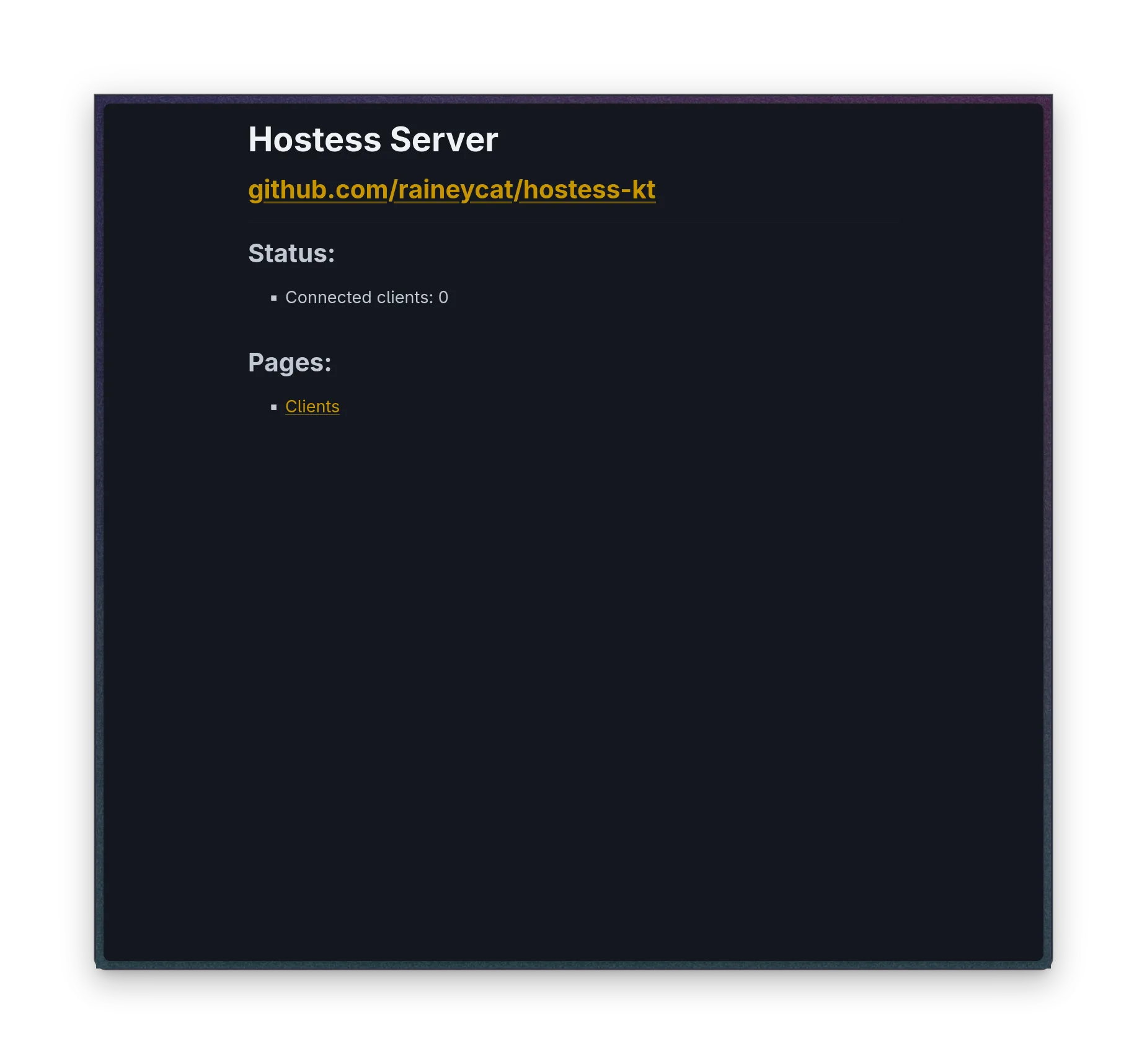
Okay, okay, I know it’s not great, but improvements!
Debug keys
The last main thing I want to go over in this post is the debug key combo system.
The CheatKey packet only contains a single 4-byte unsigned int, which encodes both the main key and any modifier keys, which is nice because it makes sending them easier.
The lower 2 bytes are masked off and converted to a member of the XNA Keys enum, and the rest is used as bitflags to store the modifiers:
0x10000is the shift key0x20000is the control key0x40000is the alt key
Note: all of these correspond to the left-side versions of each key.
You may be thinking: “well rainey, that’s cool and all, but what can these actually do?”
I’m glad you asked!
Shortcut list
- Cycling
BloomComponentsettingsCtrl+B: cycle forwardCtrl+Shift+B: cycle backward
- Cycling
FlyerComponentsettingsCtrl+R: cycle forwardCtrl+Shift+R: cycle backward
Alt+D: toggle debug stats (in my testing this has just crashed the game)F11: toggle camera trackingCtrl+End: reset and reload mapCtrl+Home: reset progress data (WATCH OUT!)- Individual draw toggles
Ctrl+Shift+1: vignetteCtrl+Shift+2: flyersCtrl+Shift+3: health effectsCtrl+Shift+4: lightsCtrl+Shift+5: UICtrl+Shift+6: cameraCtrl+Shift+7: backgroundCtrl+Shift+9: terrainCtrl+Shift+Minus: groundCtrl+Shift+Plus: bloomCtrl+Shift+NumPad0: recursive paths (?)Ctrl+Shift+NumPad0: connected data (?)
- Cheats
Ctrl+Shift+Tilde: disable damage (note: this is the backtick key if you’re using a UK keyboard layout)
- Debugging
Ctrl+Shift+Comma: reload shader effectsShift+PageUp: dump texturesCtrl+Shift+QuestionMark: garbage collectShift+G: garbage collect (full)Ctrl+P: toggle performance modeCtrl+F: toggle FPS counterCtrl+Shift+PageUp: switch “voting forced winner” (?)
- Z-pass
Ctrl+Z: toggle Z-testingCtrl+Alt+Z: increase cull radiusCtrl+Alt+Shift+Z: decrease cull radiusCtrl+Shift+Z: toggle Z-pass
- Debug drawing
Ctrl+I: draw IDsCtrl+Shift+Semicolon: draw grid managerCtrl+Shift+N: draw networkCtrl+Alt+V: draw animations
Ctrl+T: toggle trailer modeCtrl+Shift+T: take screenshotP: toggle pause]: single-step forward (when paused)[: run until script action (when paused)Ctrl+Delete: clear debug messages (?)Ctrl+L: hot reloadShift+H: reload InGameUI.xmlCtrl+Shift+P: show performance timer screenShift+Multiply: throw an exceptionUp/Down/PageUp/PageDown/Home/End: scroll debug messagesAlt+S: open the save/load menu- Performance timer
Ctrl+Alt+P: toggle visibilityCtrl+Alt+R: reset
F1: open map picker
There may be more that I haven’t spotted, but I think that’s plenty, no?
Also, just to note, you can use these in-game too, without a Hostess server, as long as you have debug keys enabled. The patcher I wrote (see above) does this automatically.
Gallery
Now, would this really be a rainey project without putting in some really funny screen captures? Of course not!
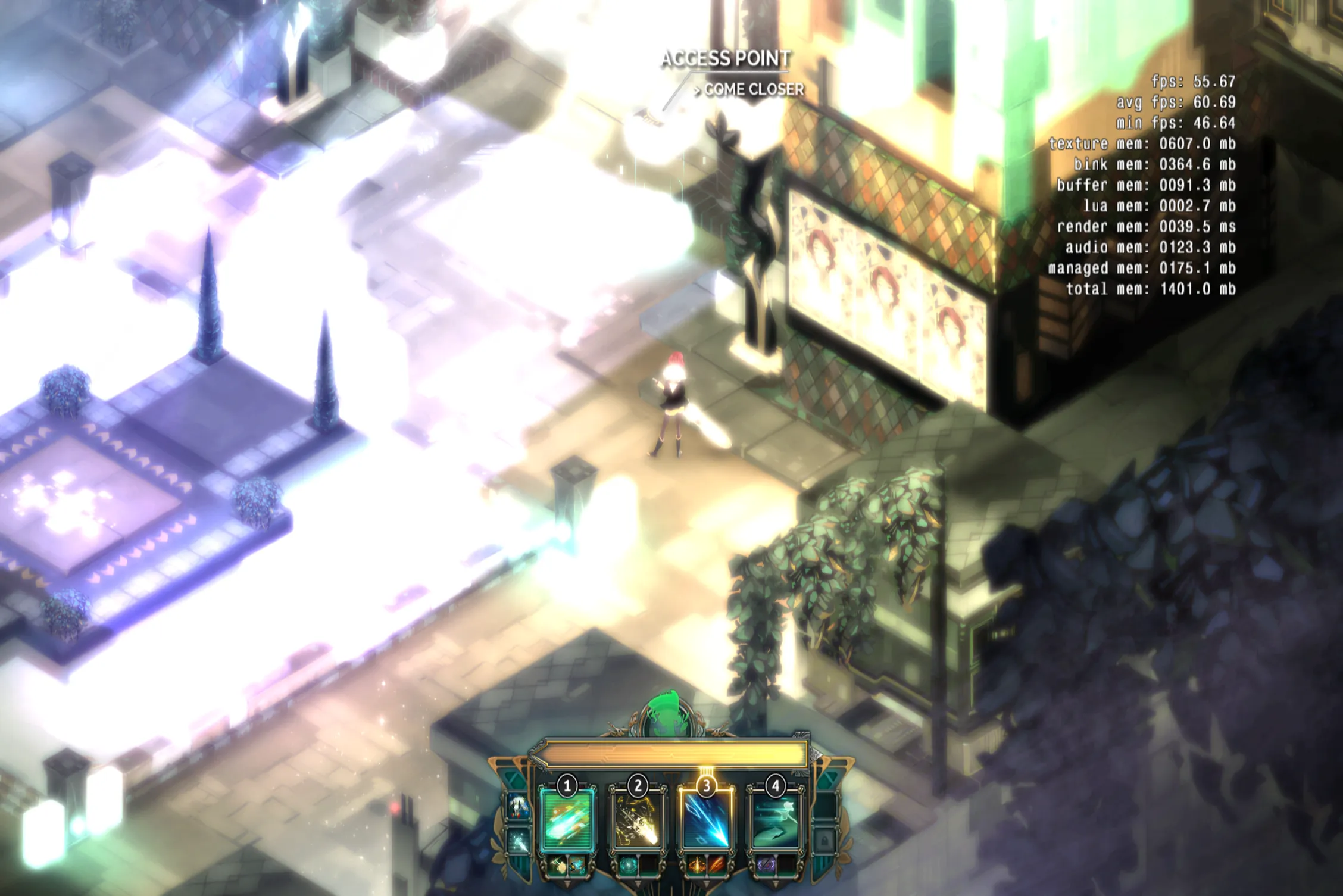
Using Ctrl+B, you can cycle through various bloom modes, and one of them is this monstrosity.
All the colours are very highly saturated, and the whole game is super blurry.
Good luck playing like this!
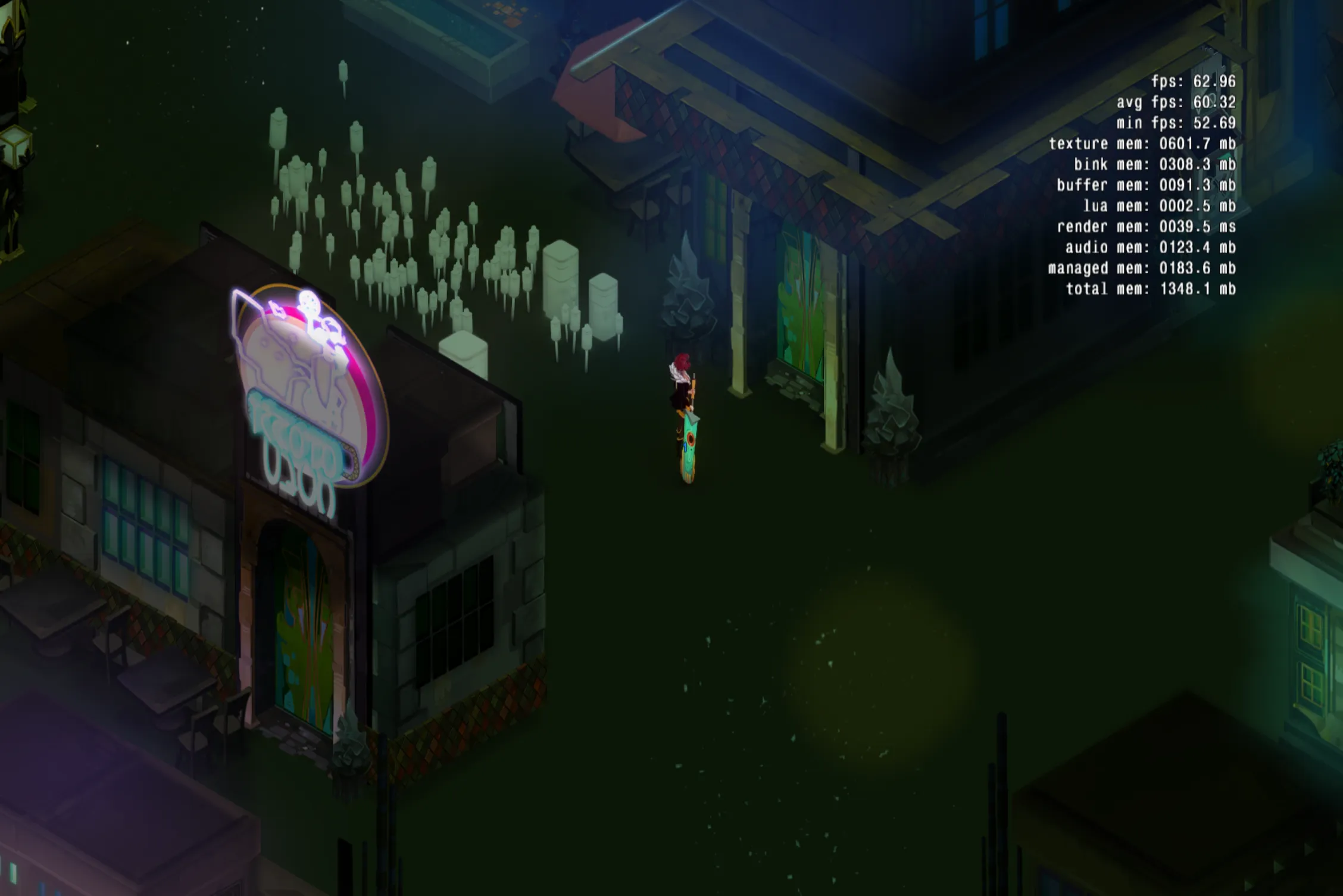
Using the various Ctrl+Shift+[n] keybinds, I disabled most of the visual effects, as well as the ground visuals.
The game looks a lot duller and less exciting now, I think.
This goes to show just how much games have to pack in to keep people’s attension and look good.
Respect your indie devs!
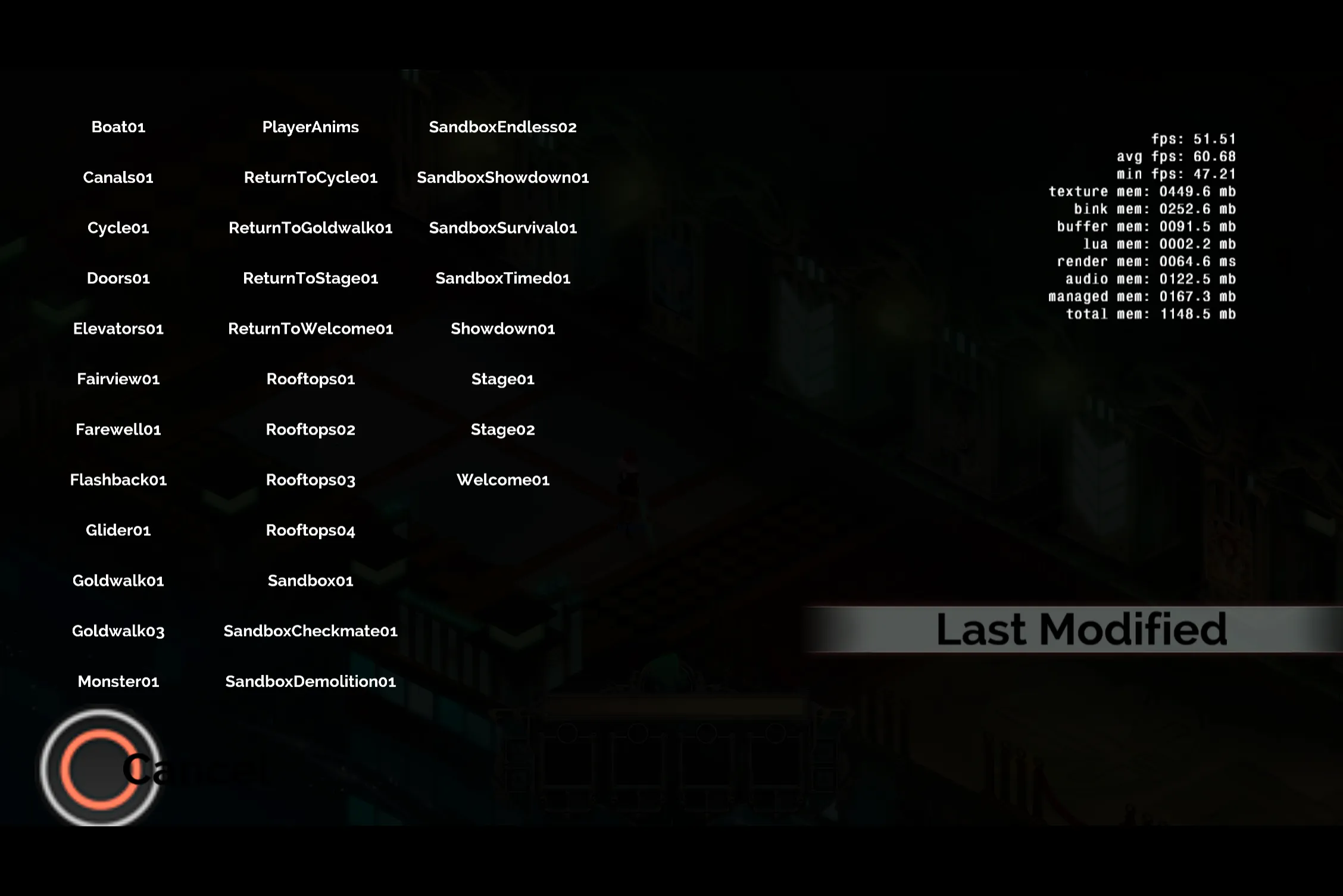
This is what the developer map selection window looks like, accessible with F1.
Fun fact: The “Last Modified” button takes you to the Empty Set, but with some really weird camera movement at the start. I would put a video here, but I am way too tired while writing this. You have to take my word, it is pretty funky.
Is this useful?
Well…
That probably depends on your definition of useful.
As I mentioned previously, I haven’t exactly seen a big modding community for this game, and I’m not sure how useful this would be to them anyway. While I guess it would be useful for replacing asset files, that’s something that would be so much easier to do directly on disk or by using MonoMod patches. A whole other server program is way overkill for this.
It’s best use really is just what the protocol was originally made for, small-scale debugging.
Closing remarks
Thank you all for reading this far!
This took me quite some time to prepare and write up, and it means a lot that you find this interesting.
I really do love writing these style of posts, but I can’t often find any good inspiration or get things in a good enough state to show off like this.
There is still some stuff I haven’t fully explored here, notably the Lua command packets and the use of Hostess in Pyre, but I think this is definitely enough for now. It’s been nearly 4 and a half hours of doing this non-stop at witching hours, and I think now is as good a time to stop as ever.
Also, fun fact, today marks exactly one year and one day since the first post on here was written! It was coincidentally also about this game, and was the first time I put this level of effort into something I published.
3 posts per year is good going, right?
Stay silly, and goodnight!